
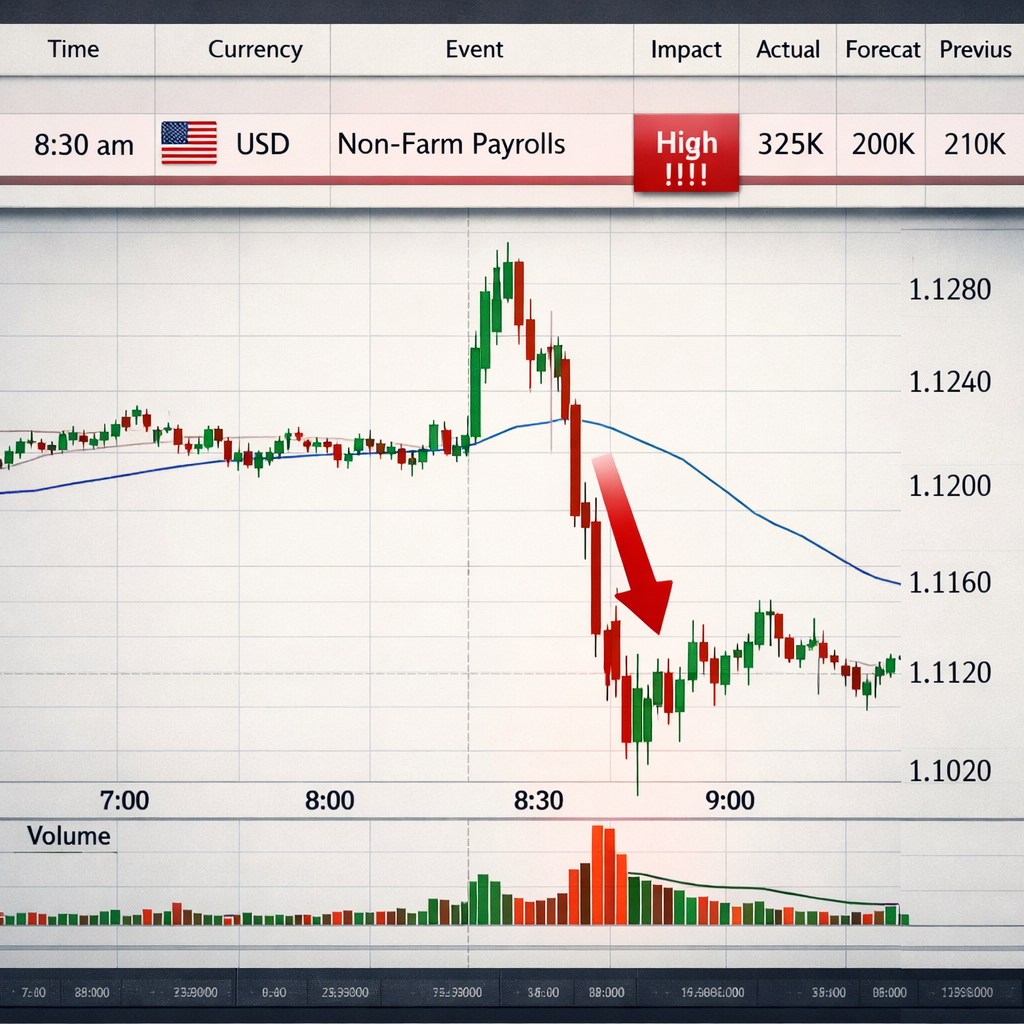
News can flip a currency pair in seconds. If you try to trade without a plan, you’ll likely get burned. This guide shows exactly how to trade forex during news events, from prep to post‑trade review. You’ll get tools, timing tricks, risk rules, and real‑world examples you can copy.
By the end you’ll know which calendar to use, how to spot the high‑impact releases, how to enter fast and stay in control, and how to protect your capital after the dust settles.
Step 1: Prepare Your Toolkit and Calendar
Before any news hits, you need a solid set of tools. A good economic calendar is the backbone of any news‑trading plan. It lists the date, time, and expected impact of every major data release , from interest‑rate decisions to employment numbers.
Start by opening a reliable calendar. Pepperstone’s calendar breaks events into low, medium, and high impact and shows the forecast, previous, and actual values once the data drops. Pepperstone’s guide explains how to read each column. Use it to match the event with the currency pair you trade.
Next, set up a fast charting platform. You need sub‑second tick data and a broker that offers tight spreads even when volatility spikes. Many traders pick MetaTrader 5 because it lets you add custom news alerts and place pending orders with a single click.
Don’t forget a reliable news feed. A live feed from the Federal Reserve or Bloomberg will push the announcement the instant it’s released, cutting out the delay you get on a web page.
Now build a simple checklist you can run before each event. Write down the pair, the expected direction, the level of your stop, and the size of the trade. Keep the list on paper or in a note app , you don’t want to scroll through a spreadsheet while the market moves.
- Choose a broker with ano‑requotepolicy.
- Set alerts for high‑impact events only.
- Prepare a one‑page “trade‑ticket” template for each news release.
And remember: the best traders treat the calendar like a weather forecast. It tells you when a storm may hit, not exactly how hard it will beat down.
Bottom line:If your tools are ready, you’ll stay calm and act fast when the news drops.
Step 2: Identify High‑Impact News Releases
Not every data point moves the market. Focus on the events that have a “high” impact rating. These are usually central‑bank rate decisions, the U.S. Non‑Farm Payrolls (NFP), CPI reports, and major GDP releases.
Forex Factory uses a red color to flag high‑impact items. When you see a red block, expect volatility to spike. The calendar also shows the forecast and the previous value. Compare these to gauge how surprised the market might be.
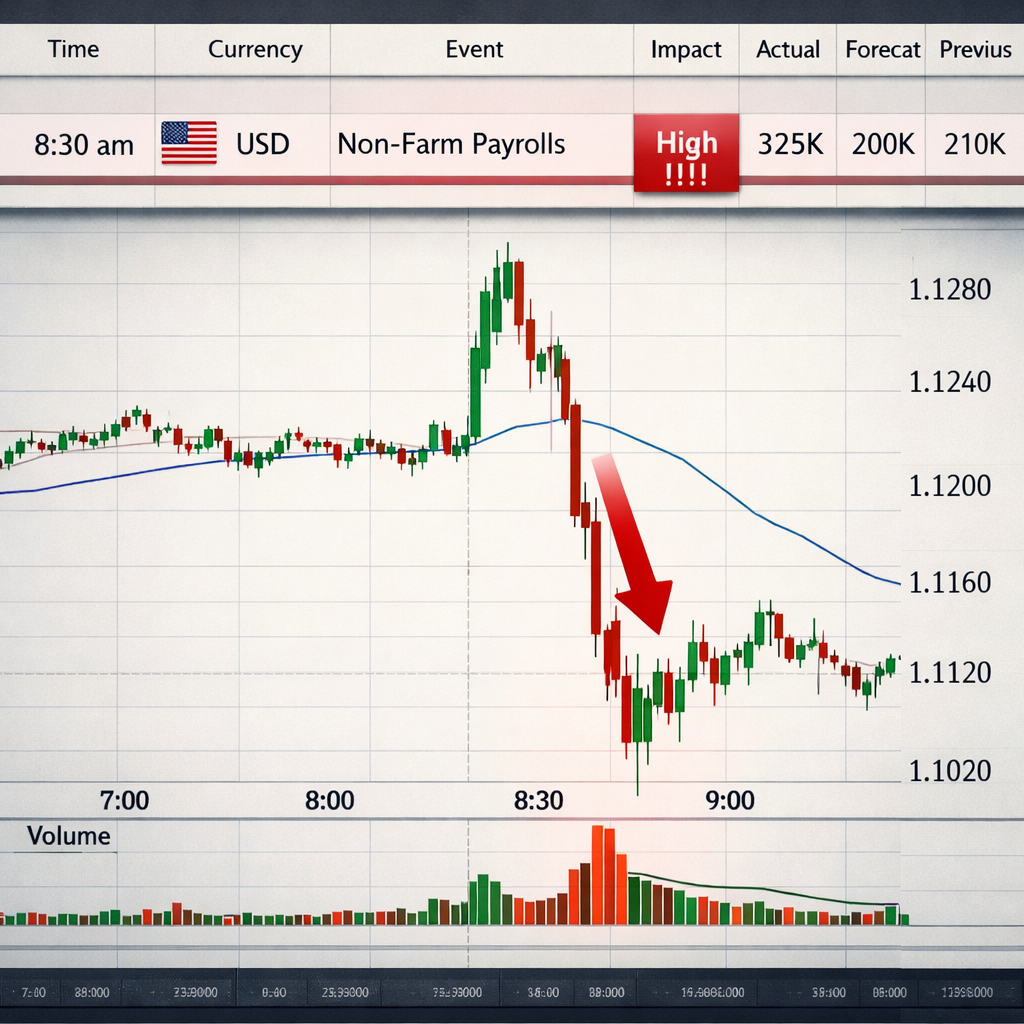
For example, if the NFP is forecast at 150k but the actual comes out at 250k, the surprise will likely push the USD up sharply. If the number misses the forecast, the USD could tumble.
To avoid overload, filter the calendar by the currencies you trade. If you focus on EUR/USD and GBP/USD, turn off events that affect only JPY or AUD.
Here’s a quick way to rank events:
- Check the impact rating (high = red).
- Read the forecast vs. previous values.
- Ask: Does the event affect the currency pair I plan to trade?
- Decide if you’ll trade before, during, or after the release.
Keep a log of each event you trade. Note the time, the forecast, the actual, and how the price reacted. Over weeks you’ll see patterns , like how CPI surprises tend to cause a quick bounce before the trend settles.
Remember, news can also be a trap. Some releases have high impact but low relevance to your pair. For instance, an Australian CPI report may spike AUD/JPY but leave EUR/USD flat.
Use a second source to confirm the time. The U.S. Bureau of Labor Statistics ( BLS) posts the official release schedule for NFP. Cross‑checking stops you from trading on a wrong clock.
Bottom line:Picking the right news event is the first filter that keeps you from chasing noise.
Step 3: Execute Trades with Speed and Control
When the clock hits the release second, the market can jump many pips in a flash. You need a plan that lets you act fast but stay safe.
There are three common styles:
- Immediate reaction:Place a market order the instant the data drops.
- Over‑reaction catch:Wait a few seconds for the initial spike, then look for a reversal.
- Trend‑follow:Let the price settle for a minute, then trade the new direction.
Pick the style that matches your risk comfort. Beginners usually start with the trend‑follow approach because it avoids the wildest spikes.
Whichever style you pick, set your stop‑loss first. The research shows only 7% of news‑trading guides spell out a stop‑loss rule. That gap can cost you big. A good rule is to place the stop just outside the typical spread expansion for that event. If the spread widens by 4 pips, set the stop 6‑8 pips away.
Next, decide your position size. Use a fixed‑fraction rule , risk no more than 1% of your account on any news trade. If you have $10,000, your max risk is $100. Calculate the lot size that makes a 6‑pip stop equal $100.
Now, practice the entry on a demo account. Run through the three styles and note the slippage you see. This builds muscle memory so you won’t freeze when real money is on the line.
When you’re ready for live trading, keep these points in mind:
Here’s a short video that walks through a live news trade on a major USD release:
After the trade, note the entry price, the stop, and the outcome. This record will help you improve your timing.
“The best news trader isn’t the one who catches every move, but the one who sticks to a repeatable process.”
Bottom line:Execution speed matters, but a clear stop‑loss and size rule matter more.
Step 4: Review, Adjust, and Manage Risk Post‑News
Once the initial wave settles, the real work begins. You must decide whether to hold, tighten the stop, or exit.
First, check if the price has formed a clear direction. If the market made a sharp move and then starts to flatten, you may want to lock in profit by moving the stop to break‑even.
If the price keeps trending, you can trail the stop behind the new high (for a long) or low (for a short). A common method is to trail by the average true range (ATR) of the last 14 periods.
Second, review the news impact versus the forecast. If the data was a big surprise, the move may keep going for a while. If the data was in line with expectations, the spike may be short‑lived.
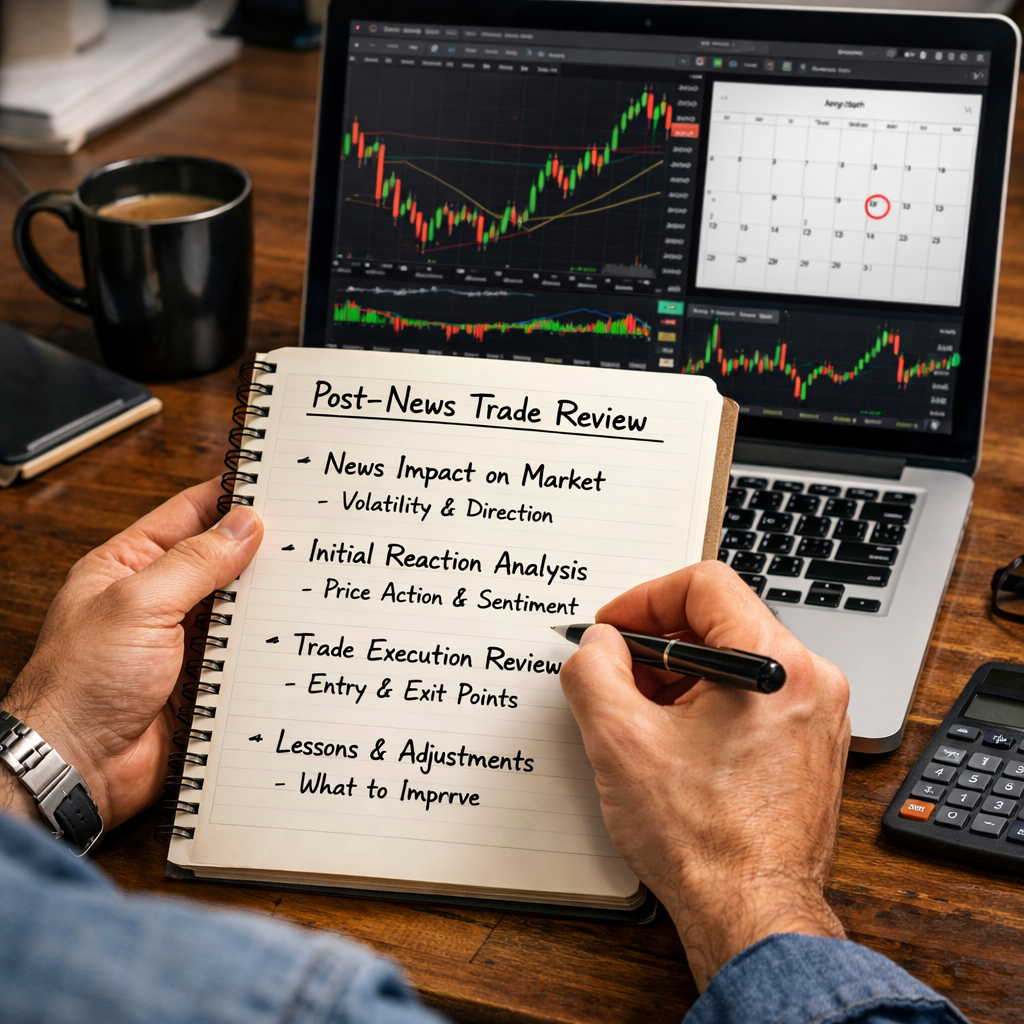
Finally, write a quick journal entry. Include:
Over time this log becomes a personal playbook. You’ll spot which events you handle well and which need a different style.
Don’t forget to adjust your risk for the next event. If you blew a larger than planned loss, reduce your lot size for the next trade until you get back on track.
Here’s a simple post‑trade checklist you can paste into a note app:
- Did I respect my stop‑loss?
- Did I size the trade correctly?
- Did the spread widen beyond my tolerance?
- What was the market’s reaction to the surprise?
- What will I change next time?
Bottom line:Review, adjust, and journal after every news trade to sharpen your edge and keep risk in check.
FAQ
What time zone should I use for the economic calendar?
Use the time zone of the data‑releasing authority, usually GMT or EST. Converting to your local time helps you avoid missing the exact second of the release. Many calendars let you set your preferred zone, so the times adjust automatically.
Can I trade news on a weekend?
Most major economic data comes out on weekdays. Weekends see low liquidity and wider spreads, so news‑trading is not advisable then. Focus on the weekday schedule and keep the weekend for analysis.
How do I avoid slippage when spreads widen?
Set a maximum spread filter in your platform. If the spread exceeds, say, 5 pips for a high‑impact event, skip the trade. You can also use pending orders placed a few pips away from the market price to reduce the chance of a bad fill.
Is it better to trade before or after the news release?
Both can work. Trading before lets you capture the expected move if the forecast is clear. Trading after gives you a chance to see the surprise and avoid the initial chaos. Choose the style that fits your risk appetite and practice both on a demo account.
What pair should I start with for news trading?
Pairs with high liquidity and tight spreads, like EUR/USD, GBP/USD, and USD/JPY, are ideal. Their large volumes mean the price moves predictably around news, and most brokers keep spreads reasonable even during spikes.
How much of my account should I risk on a news trade?
Most professionals risk 0.5% to 1% per trade. This means if you have $10,000, your max loss is $50‑$100. Use this rule to calculate your lot size based on the distance to your stop‑loss.
Do I need a VPS for news trading?
A Virtual Private Server (VPS) can reduce latency, especially if your broker’s servers are far from your location. It’s useful for sub‑second execution, but not mandatory for beginners. Test your latency first; if it’s under 50 ms, a VPS may not add much value.
How often should I review my news‑trading performance?
Do a weekly review. Look at each trade’s outcome, the spread behavior, and whether you followed your stop‑loss rule. Adjust your checklist and position sizing based on what the data tells you.
Conclusion
Trading forex during news events can feel like riding a roller coaster, but with a clear prep routine, the right tools, and disciplined risk rules you can turn the chaos into consistent profit chances. Start by learning the calendar, pick only the high‑impact releases that matter to your pairs, and practice the three entry styles on a demo account. Then lock in stops, size your trades, and keep a journal after each event.
Remember, the edge comes from preparation, not from chasing every headline. Use the checklist, the visual tips, and the post‑trade review to keep improving. When you follow this step‑by‑step plan, you’ll trade news with confidence and protect your capital, no matter how fast the market moves.
Ready to put the plan into action? Grab the Forex News Trading Tips: A Step‑by‑Step Guide for Beginners to get a printable checklist and start building your own news‑trading routine today.
- Event name and time.
- Forecast vs. actual.
- Entry, stop, and exit prices.
- What you learned about timing and spread behavior.
- Use a hot‑key or one‑click order to shave seconds.
- Watch the spread. If it spikes beyond your stop‑loss distance, consider staying out.
- Don’t chase the price. If you miss the first move, wait for the next clear signal.